RMBG-2-Studio: Free Image Background Removal

RMBG-2-Studio: Free Image Background Removal

Built on the BRIA-RMBG-2.0 model, this lightweight app offers professional-grade background removal, custom composition, and batch processing without the need for costly API subscriptions. Requires a graphics card.

Linux macOS Open Source Pinokio Self Hosted
Windows

Why RMBG-2-Studio is a Game Changer

If you work in digital marketing, e-commerce, or content creation, high-quality background removal is a daily necessity. While tools like Canva or paid APIs offer these services, the costs can add up quickly, especially when dealing with large volumes of product photography or marketing assets.

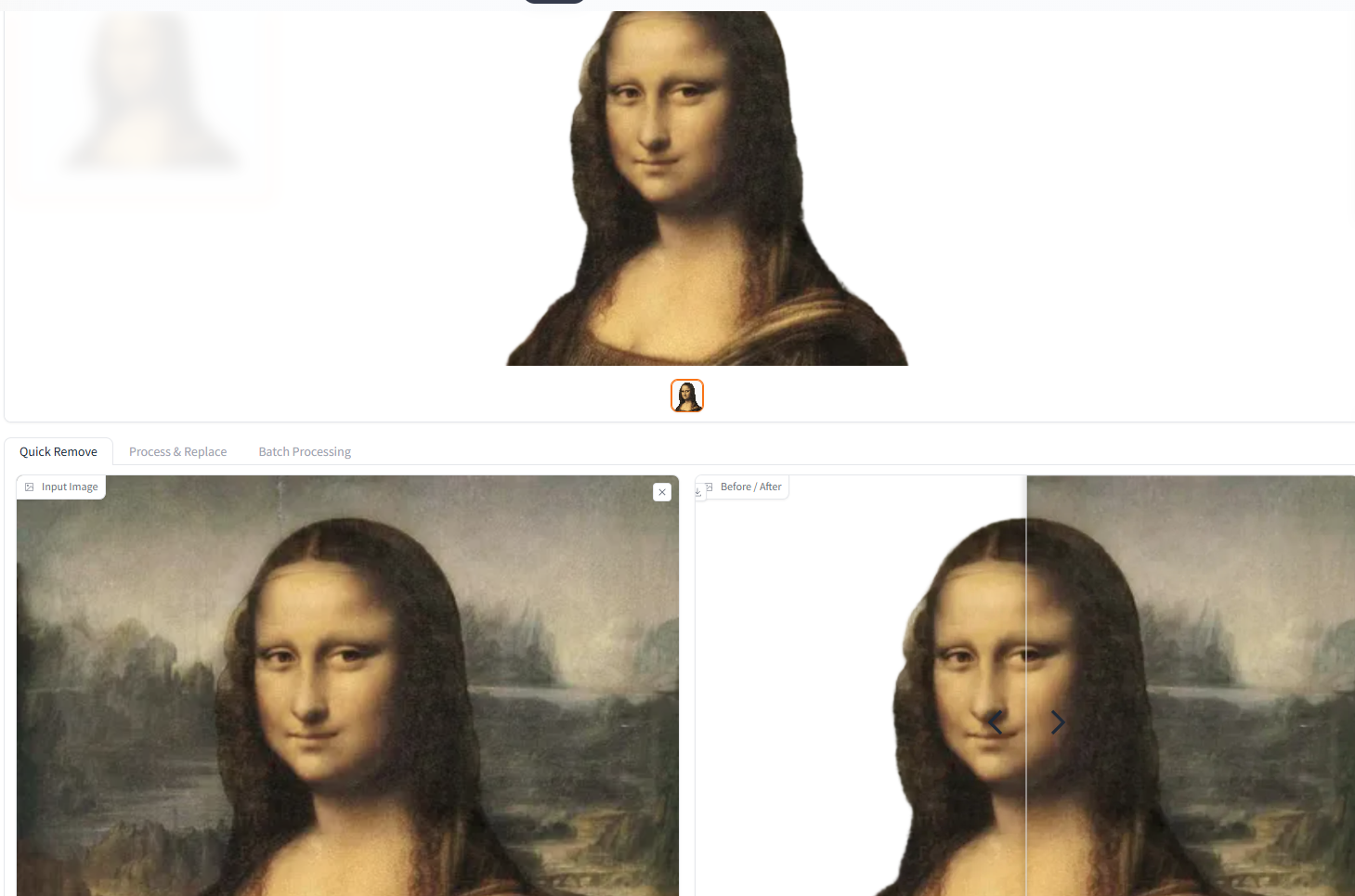
RMBG-2-Studio is a lightweight, open-source application built around the state-of-the-art BRIA-RMBG-2.0 deep learning model. It allows you to perform highly precise background removal, object isolation, and image replacement entirely locally on your own hardware. It processes images quickly, handles challenging non-binary edges (like hair or transparent objects), and is completely free to use.

Key Features and Capabilities

RMBG-2-Studio is more than just a simple cutout tool. It operates through an intuitive Gradio web interface and includes several features that speed up visual workflows:

  • Pro-Level Masking: The BRIA-RMBG-2.0 model successfully detects complex foregrounds and generates masks with 256 levels of transparency, resulting in soft, natural edges rather than harsh, jagged cutouts.
  • Drag-and-Drop Gallery: A built-in gallery at the top of the interface allows you to upload, view, and drag processed images directly into a composition window.
  • Integrated Composition: You do not need to export your images to Photoshop. You can drop your cutout foregrounds onto new custom backgrounds directly within the app.
  • Color Grading Tools: Once composited, you can adjust the brightness, contrast, saturation, and temperature of the image to ensure the foreground matches the new background perfectly.
  • LoRA Mask Exporting: For users interested in AI model training, community modifications allow you to generate and export specific masks optimized for training LoRAs in pipelines like OneTrainer.

How to Install RMBG-2-Studio Using Pinokio

The biggest hurdle with open-source AI tools is usually the complicated command-line installation. The easiest, no-code way to install RMBG-2-Studio is through Pinokio, a universal one-click launcher that automates the setup of AI environments.

  1. Download Pinokio: If you haven't already, download and install the Pinokio desktop app from pinokio.co.
  2. Find the App: Open Pinokio and search for "RMBG-2-Studio", or navigate directly to the RMBG-2-Studio app page.
  3. One-Click Install: Click the "Install latest" button. Pinokio will automatically download the repository, configure the Python environment, and fetch the necessary AI models.
  4. Launch and Edit: Once the installation finishes, click "Start." The app will open in a local web browser, allowing you to drop in an image (JPG, PNG, WEBP, or GIF) and instantly remove its background.

Reviews

No reviews yet