Photopea: Professional Browser-Based Photoshop Alternative
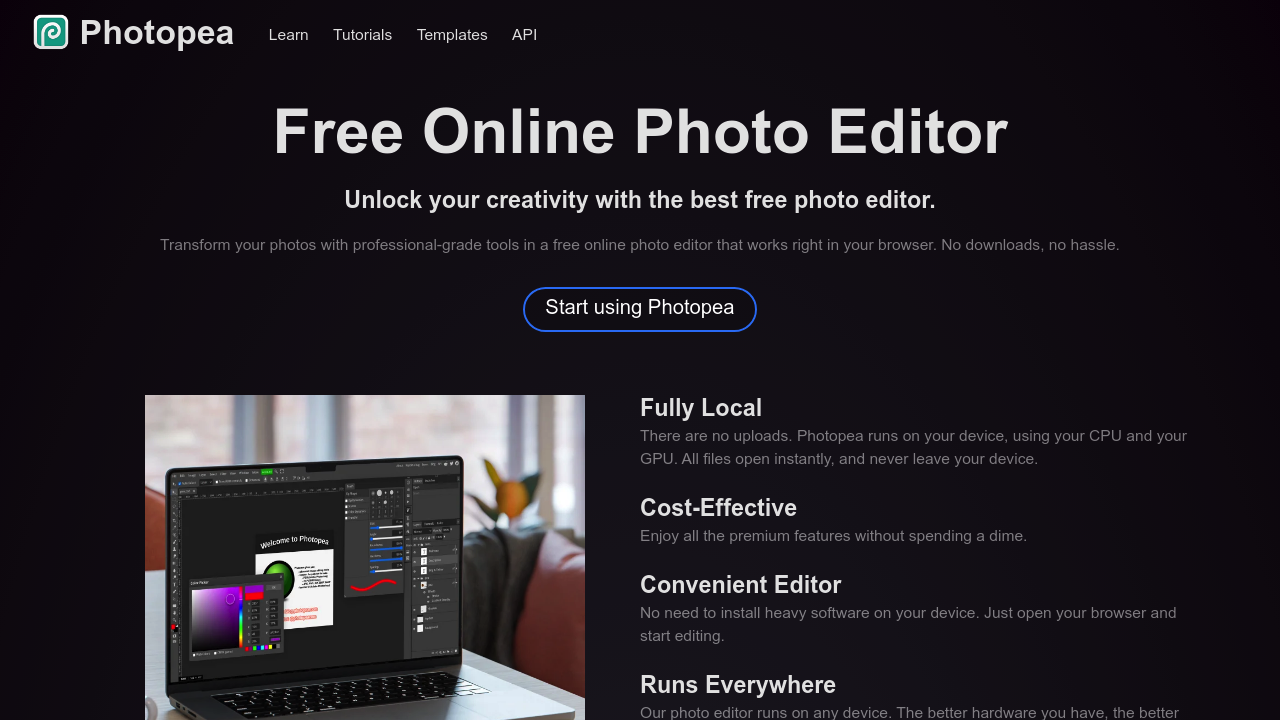
Photopea is a free, online alternative to Photoshop that runs directly in your browser without requiring any downloads or installations. This innovative web-based photo editor has revolutionized digital image editing by providing professional-grade capabilities through a standard web browser while maintaining familiar Photoshop-like interface design.
Seamless Photoshop Integration
Native PSD File Support
Photopea's standout feature is its comprehensive support for PSD files (Photoshop's native format), enabling users to work on Photoshop files without missing a beat. This compatibility ensures seamless workflow integration for users transitioning between Photoshop and free alternatives, maintaining project continuity across different editing environments.
Familiar Interface Design
Photopea mimics Photoshop's interface closely, making users familiar with Adobe's layout feel immediately at home. The strategic interface similarity reduces learning curves and enables immediate productivity for photographers and designers accustomed to professional editing software conventions.
Comprehensive Format Support
Beyond PSD compatibility, Photopea handles JPEG, PNG, SVG, and numerous other image formats. This broad format support ensures users can work with virtually any image file type without conversion requirements or compatibility concerns.
Professional-Grade Editing Tools
Complete Photoshop-Style Toolset
Photopea includes all familiar tools from Photoshop including brush, lasso, healing, text editing, and advanced selection tools. The comprehensive toolset provides professional-level editing capabilities that enable complex image manipulation, retouching, and creative composition work.
Advanced Layer Management
The software provides sophisticated layer systems that support multiple layer types, blend modes, and layer effects similar to Photoshop. Professional users can create complex compositions with non-destructive editing techniques essential for maintaining image quality throughout the editing process.
Filter and Effect Systems
Photopea includes extensive filter libraries and special effects that rival commercial software offerings. Users have access to creative filters, color correction tools, and artistic effects that enable both corrective editing and creative image manipulation.
Accessibility and Convenience
Zero Installation Requirements
One of Photopea's biggest advantages is requiring no signup, no payment, and no time limits. Users simply navigate to photopea.com and immediately begin working, eliminating barriers to entry and setup complications that often accompany software installation.
Universal Browser Compatibility
Photopea works optimally in modern browsers including Chrome, Firefox, and Edge. This universal compatibility ensures access from virtually any computer with internet connectivity, making it ideal for shared workspaces and varied computing environments.
Instant Accessibility
The web-based architecture enables immediate access to professional editing tools without software installation, licensing, or subscription requirements. This instant accessibility makes Photopea invaluable for urgent editing tasks and collaborative environments.
Workflow Integration
Project Continuity
Users can seamlessly transition projects between Photoshop and Photopea thanks to native PSD support. This compatibility enables collaborative workflows where team members use different software while maintaining project integrity and formatting.
Export Flexibility
Photopea provides comprehensive export options supporting various formats and quality settings. Whether preparing images for web use, print production, or further editing in other applications, users have complete control over output specifications.
Professional Output Quality
Despite being browser-based, Photopea maintains professional output quality standards essential for commercial and artistic applications. The software processes images with precision and maintains color accuracy throughout the editing pipeline.
Performance and Limitations
Browser-Based Performance
While Photopea performs remarkably well for browser-based software, performance may vary depending on browser optimization and system resources. Complex editing tasks with large files may experience slower performance compared to native desktop applications.
Internet Connectivity Requirements
As a web-based application, Photopea requires stable internet connectivity for optimal functionality. Users working in environments with limited or unreliable internet access may experience interruptions or reduced performance.
Feature Parity Considerations
While Photopea includes most essential Photoshop features, some advanced or specialized tools may not be available. Professional users requiring cutting-edge features may need to supplement Photopea with additional tools for complete workflow coverage.
Target Users and Applications
Professional Transition Tool
Photopea serves as an excellent transition tool for professionals moving away from Photoshop subscriptions while maintaining familiar workflows. The interface similarity and PSD compatibility enable immediate productivity without extensive retraining.
Educational and Collaborative Environments
Educational institutions and collaborative teams benefit from Photopea's accessibility and zero-cost model. Students and team members can access professional editing tools without software licensing complications or installation requirements.
Emergency and Mobile Editing
The instant accessibility makes Photopea invaluable for urgent editing tasks when primary software isn't available. Users can perform professional-quality edits from any computer with browser access, ensuring productivity continuity.
Creative Possibilities
Full Design Project Capability
Whether making minor tweaks or embarking on full-fledged design projects, Photopea provides necessary tools for bringing creative visions to life. The comprehensive feature set supports everything from basic photo correction to complex artistic compositions.
Professional Portfolio Development
The software's capabilities enable creation of professional-quality portfolio pieces and commercial work. Artists and designers can produce commercially viable content without expensive software investments.
Photopea represents a revolutionary approach to professional image editing by delivering Photoshop-level capabilities through an accessible web browser interface, making high-quality photo editing available to anyone with internet access while maintaining professional standards and workflow compatibility.