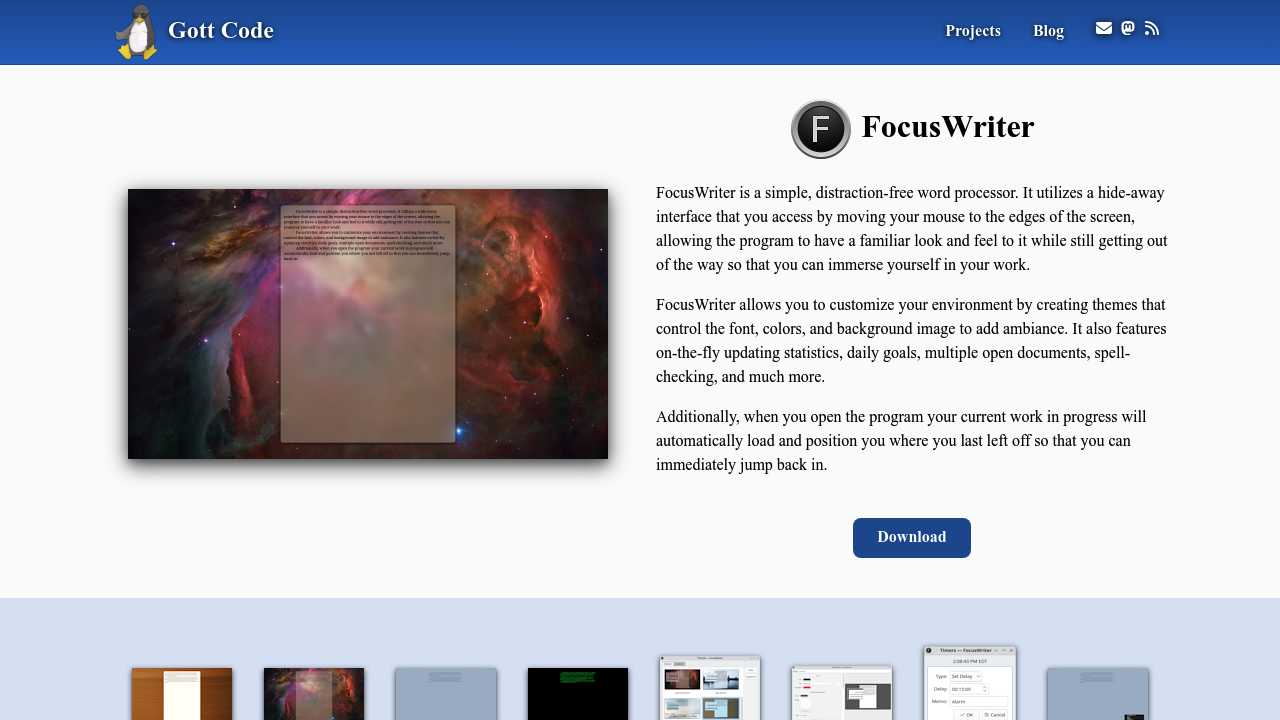
FocusWriter: Distraction-Free Microsoft Word Alternative for Writers
FocusWriter revolutionizes the writing experience by providing a completely distraction-free environment that helps writers focus entirely on their content creation. Unlike traditional word processors cluttered with menus and toolbars, FocusWriter creates an immersive writing space that promotes creativity and productivity through minimalist design and writer-focused features.
What is FocusWriter?
FocusWriter is a specialized word processor designed specifically for writers who need to eliminate distractions and focus purely on their craft. The software features a hide-away interface that disappears completely, leaving only a blank screen and blinking cursor, creating an environment similar to writing on a blank piece of paper while maintaining modern functionality.
Distraction-Free Writing Environment
Immersive Full-Screen Interface
FocusWriter opens in full-screen mode with a completely blank interface, removing all visual distractions that typically accompany word processors. Users access functions only when needed by moving their mouse to screen edges, revealing hidden menus and tools temporarily.
Customizable Themes and Ambiance
The software allows complete customization of the writing environment through themes that control fonts, colors, and background images. Writers can create personalized atmospheres that inspire creativity, from classic typewriter aesthetics to modern minimalist designs or nature-inspired backgrounds.
Hide-Away Interface Design
All interface elements remain hidden during writing, appearing only when users need specific functions. This design philosophy ensures that the writing itself takes center stage without competing with visual elements that can interrupt creative flow.
Writer-Focused Features
Writing Goals and Progress Tracking
FocusWriter includes comprehensive goal-setting capabilities that help writers establish and achieve writing targets. Users can set daily word count goals, time-based writing sessions, or project completion targets with visual progress indicators that motivate continued writing.
Session Management
The software tracks writing sessions, providing statistics on words written, time spent, and progress toward goals. This data helps writers understand their productivity patterns and optimize their writing schedules for maximum effectiveness.
Timer and Alarm Functions
Built-in timers support popular writing techniques like Pomodoro sessions or timed writing sprints. Alarms can remind writers to take breaks, switch tasks, or meet self-imposed deadlines.
Document Management Features
Multi-Document Support
FocusWriter allows multiple documents to remain open simultaneously while maintaining the distraction-free interface. Writers can quickly switch between projects without losing focus or breaking their creative flow.
Automatic Session Restoration
The software automatically saves work and restores the exact writing session when reopened, including cursor position and active documents. Writers can immediately resume where they left off without setup or navigation delays.
Flexible File Format Support
FocusWriter supports TXT, RTF, and ODT file formats, ensuring compatibility with other word processors while maintaining the simplicity that makes it effective. Basic Office Open XML support enables document sharing with Microsoft Word users.
Advanced Writing Tools
Statistics and Analytics
The software provides detailed writing statistics including word count, page count, paragraph count, and character count. These metrics help writers track productivity and meet specific length requirements for different types of writing projects.
Spell-Checking Integration
Optional spell-checking functionality works in the background without disrupting the writing flow. Writers can choose between on-the-fly correction or batch spell-checking sessions depending on their preferences.
Find and Replace Functionality
Despite its minimalist approach, FocusWriter includes essential editing tools like find and replace, ensuring writers can make necessary revisions without switching to other applications.
Customization and Personalization
Theme Creation System
Writers can create completely custom themes that reflect their personal aesthetic preferences and writing needs. Theme options include background images, font selections, color schemes, and interface element styling.
Typewriter Sound Effects
For writers who miss the tactile feedback of mechanical typewriters, FocusWriter includes optional typewriter sound effects that simulate the classic writing experience. These sounds can enhance focus and provide satisfying auditory feedback during writing sessions.
Portable Mode Operation
The software includes a portable mode that allows writers to carry their complete writing environment on USB drives. This feature enables consistent writing experiences across different computers without installation requirements.
Cross-Platform Compatibility
Multi-Operating System Support
FocusWriter runs natively on Linux, macOS, Windows, and other operating systems that support its framework. This broad compatibility ensures writers can maintain consistent environments regardless of their preferred computing platform.
Consistent Experience Across Platforms
The software maintains identical functionality and appearance across all supported platforms, allowing writers to switch between devices without adjustment periods or feature limitations.
Language Localization
FocusWriter supports over 20 languages including Armenian, Lithuanian, Czech, Dutch, Greek, Finnish, Hebrew, Hungarian, Japanese, Romanian, Serbian, Swedish, Turkish, and Chinese. This international support makes it accessible to writers worldwide.
Advantages Over Microsoft Word
Elimination of Distractions
Unlike Microsoft Word's complex interface filled with formatting options and menus, FocusWriter removes all visual distractions that can interrupt creative flow. Writers can focus purely on content creation without interface elements competing for attention.
Writing-Specific Features
FocusWriter includes features specifically designed for writers, such as writing goals, session tracking, and progress monitoring. These tools support the writing process in ways that general-purpose word processors like Microsoft Word don't address.
Lightweight and Fast
The software launches instantly and operates with minimal system resources, providing immediate access to writing without the startup delays and resource consumption typical of full-featured word processors.
Customizable Writing Environment
FocusWriter's theme system allows complete personalization of the writing environment, something not possible with Microsoft Word's fixed interface design.
Limitations and Considerations
Limited Formatting Options
FocusWriter intentionally lacks advanced formatting features found in traditional word processors. Writers needing complex layouts, advanced typography, or professional formatting may require additional software for final document preparation.
Collaboration Restrictions
The software doesn't include collaboration features like real-time editing, commenting, or sharing tools. Writers working in teams may need supplementary tools for collaborative editing and review processes.
Publishing Workflow Requirements
Documents created in FocusWriter typically require additional formatting and layout work in other applications before publication or professional presentation.
Who Should Use FocusWriter?
FocusWriter is ideal for creative writers, authors, bloggers, and anyone who prioritizes content creation over document formatting. It particularly benefits fiction writers, bloggers and content creators, academic writers, screenwriters and playwrights, and journalists who need to quickly capture thoughts and ideas without interface distractions.
Creative Writing Applications
FocusWriter excels for first-draft creation, brainstorming sessions, and any writing activity where creative flow is more important than document appearance. Its goal-setting and progress-tracking features make it particularly valuable for long-form projects like novels, dissertations, or extensive reports.
Integration with Writing Workflows
While FocusWriter focuses on content creation, it integrates well with writing workflows that include separate editing and formatting stages. Writers can use FocusWriter for initial drafts and content development, then transfer to more feature-rich applications for editing, formatting, and publication preparation.
Conclusion
FocusWriter serves a unique niche in the word processor market by prioritizing the writing experience over comprehensive functionality. For writers who struggle with distractions from complex interfaces or who want to recapture the focused simplicity of traditional writing, FocusWriter provides an excellent solution.
While it cannot replace Microsoft Word for document formatting, collaboration, or publishing workflows, FocusWriter excels at what it was designed to do: create an optimal environment for focused content creation. Writers who separate the creative and formatting phases of their work will find FocusWriter's distraction-free approach significantly enhances their productivity and creative output.
The software's combination of simplicity, customization options, and writer-specific features makes it a valuable tool for anyone serious about improving their writing focus and productivity, representing a thoughtful alternative to the feature-heavy complexity of traditional word processors.