DramaBox TTS Pinokio - Free Alternative to ElevenLabs
Overview
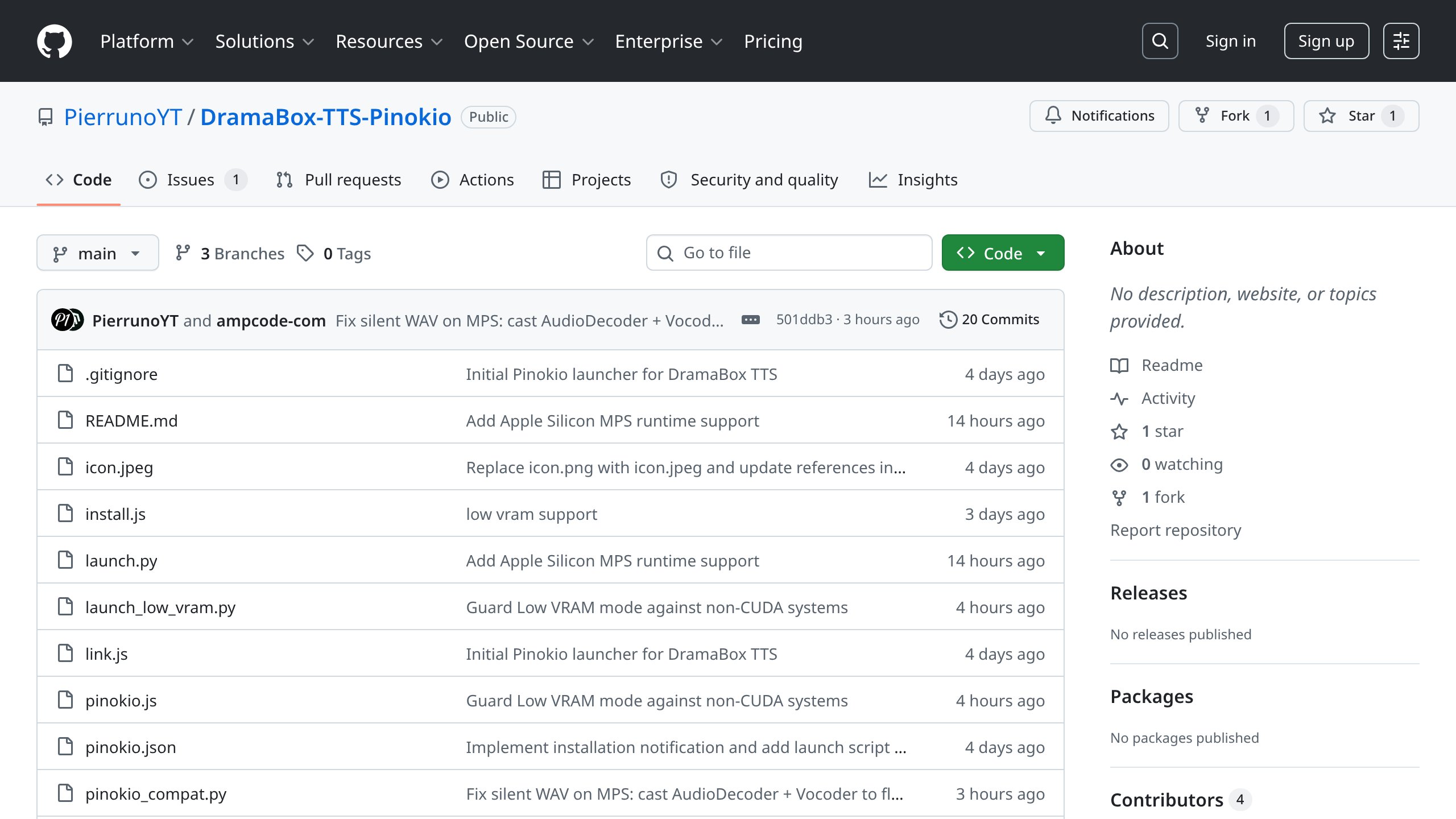
DramaBox TTS Pinokio is a free, open-source 1-click Pinokio launcher for DramaBox, Resemble AI's prompt-driven expressive text-to-speech model with voice cloning, built on the LTX-2.3 3.3B audio-only diffusion transformer. Created by community developer PierrunoYT, the Pinokio launcher wraps the upstream resemble-ai/DramaBox repository with a one-click install, start, and browser-launch workflow - making it a practical free alternative to ElevenLabs for users who want expressive, directable AI voice generation without a subscription or cloud dependency. The tool is distributed under the LTX-2 Community License, runs entirely on local hardware (Windows, macOS with Apple Silicon, and Linux), and requires no API key or internet connection after the initial model download.
Key Features
- Prompt-directed speech performance - The prompt controls speaker identity, emotion, delivery style, laughs, sighs, pauses, and scene transitions. Dialogue inside double quotes is spoken; stage directions outside the quotes are performed but never spoken aloud.
- Voice cloning from a 10-second reference - Provide 10 or more seconds of reference audio and DramaBox applies that speaker's timbre to the generated performance. The reference is optional; without it, the model generates a voice to match the speaker description in the prompt.
- Gradio web UI via Pinokio - The launcher installs all dependencies and starts a local Gradio interface accessible in the browser. No command-line experience is required for basic use.
- Multi-platform hardware support - Runs on NVIDIA CUDA GPUs (~24 GB VRAM recommended), Apple Silicon via PyTorch MPS, and falls back to CPU. A Low VRAM mode using MMGP offloading is available for systems below the recommended VRAM threshold.
- PerTh neural watermarking - Every generated audio file is automatically watermarked with Resemble AI's PerTh imperceptible watermark, which survives MP3/AAC encoding and common audio edits at approximately 100% detection accuracy.
- Python, CLI, JavaScript, and REST API access - Once the server is running, the model is accessible via a Python inference server, a CLI script, the Gradio JavaScript client, or raw HTTP POST requests - suitable for integration into pipelines and applications.
- LoRA fine-tuning support - Users can train custom LoRA adapters on top of DramaBox to add a specific speaker, language flavour, or delivery style, using JSONL, TSV, or other supported dataset formats.
- 48 kHz stereo output - Audio is generated at 48 kHz stereo, matching or exceeding the output quality of most commercial TTS APIs.
How It Compares to ElevenLabs
| Feature |
DramaBox TTS Pinokio |
ElevenLabs |
| Pricing |
Free (self-hosted, no subscription) |
Free tier limited to 10,000 characters/month; paid plans from $5-$330+/month |
| Voice cloning |
Yes - from 10+ seconds of reference audio |
Yes - Instant Voice Cloning on free tier; Professional Voice Cloning on paid tiers |
| Expressive / directed performance |
Yes - prompt-driven emotion, pacing, paralinguistic cues |
Partial - emotion sliders and voice settings; less scriptable direction |
| Output quality |
48 kHz stereo; ~2.5 s per generation on H100 |
Up to 44.1 kHz; near-instant via cloud API |
| Platform |
Local / self-hosted (Windows, macOS, Linux) |
Cloud-based web app and API (Windows, macOS, Linux, iOS, Android via browser) |
| Hardware requirement |
~24 GB VRAM (NVIDIA) or Apple Silicon; ~17 GB disk space |
None - runs in the cloud |
| Privacy / data control |
Fully local - no data sent externally |
Audio processed on ElevenLabs servers |
| Usage limits |
None - unlimited local generation |
Character quotas per plan; overage charges apply |
| Watermarking |
PerTh neural watermark on by default (can be disabled) |
No built-in watermarking |
| API access |
Local REST, Python, JavaScript, CLI |
Cloud REST API (paid plans) |
| License |
LTX-2 Community License (open source base) |
Proprietary SaaS |
| LoRA / fine-tuning |
Yes - train custom LoRAs on top of DramaBox |
No - voice customisation limited to cloning and settings |
Free Version Limitations
DramaBox TTS Pinokio is entirely free with no paywalled features, character caps, or watermarked audio in the commercial sense. However, users should be aware of the following practical constraints:
- Hardware requirements are significant - The recommended configuration is an NVIDIA GPU with approximately 24 GB of VRAM. Users without this hardware will need to use the experimental Low VRAM mode (MMGP offloading), which is slower and requires more system RAM, or fall back to CPU inference, which is considerably slower.
- Model download size - Approximately 17 GB of model weights are downloaded on first run (DiT transformer: 6.6 GB, audio components: 1.9 GB, Gemma text encoder: ~8 GB). A fast internet connection and sufficient disk space are required.
- Generation speed is hardware-dependent - The ~2.5 seconds per generation figure applies to a warm H100 server. Consumer-grade GPUs will be slower. Cold inference (loading the Gemma model per request) takes approximately 30 seconds even on high-end hardware.
- LTX-2 Community License restrictions - The LTX-2 Community License permits non-commercial and research use freely. Commercial use may require review of the licence terms before deployment in a production product.
- No mobile or web-hosted interface - DramaBox TTS Pinokio runs locally only. There is no hosted web version included in this launcher (though Resemble AI provides a ZeroGPU demo space on Hugging Face separately).
Who Is It Best For?
- Content creators and indie filmmakers who need expressive, directed voice performances for narration, character dialogue, or short-form video - without paying per-character API fees.
- Developers and AI researchers who want to integrate a locally-hosted, scriptable TTS engine into pipelines, applications, or experiments via the Python server, CLI, or REST API.
- Privacy-conscious users who require that voice data and reference audio never leave their own machine - particularly relevant for users working with sensitive or proprietary voice samples.
- Hobbyists and open-source enthusiasts who want to explore state-of-the-art expressive TTS and voice cloning on their own hardware without a cloud subscription.
- ML practitioners who want to fine-tune a custom LoRA on top of DramaBox to add a specific speaker identity, accent, or delivery style to the base model.
Getting Started
- Install Pinokio on your Windows, macOS, or Linux machine.
- Open Pinokio and navigate to the Discover tab, or paste the repository URL
https://github.com/PierrunoYT/DramaBox-TTS-Pinokio directly into Pinokio's install field.
- Click Install - Pinokio clones the repository and installs all Python dependencies automatically. Model weights (~17 GB) are downloaded from Hugging Face on first run.
- Click Start (or Start Low VRAM if your GPU has less than 24 GB VRAM) to launch the local inference server.
- Click Open Web UI to open the Gradio interface in your browser at
http://127.0.0.1:7860.
- Write a prompt using the structure:
<speaker description>, "<dialogue>" <stage direction> "<more dialogue>" - for example: A woman speaks warmly, "Hello, how are you today?" She laughs, "Hahaha, it is so good to see you!"
- Optionally upload a 10+ second WAV reference file to clone a specific voice timbre.
- Click Generate and download the resulting 48 kHz stereo WAV file.
Full documentation and prompt writing tips are available at the official repository: https://github.com/PierrunoYT/DramaBox-TTS-Pinokio
Other Free Alternatives to ElevenLabs
- Voicebox - A free, open-source, local-first voice cloning studio with seven TTS engines (including Chatterbox by Resemble AI), a multi-voice timeline editor, 23 languages, and a REST API. Runs entirely on your own machine with no subscriptions.
- Tortoise TTS - A high-fidelity neural TTS system that prioritises audio quality over generation speed. Supports voice cloning from short audio samples and produces exceptionally natural-sounding speech. Open source, self-hosted, runs on Windows, macOS, and Linux.
- Bark by Suno - A transformer-based text-to-audio model capable of generating speech, music, sound effects, and non-verbal vocalisations. Supports multiple languages with emotional expression and realistic voice synthesis. Open source and self-hosted.