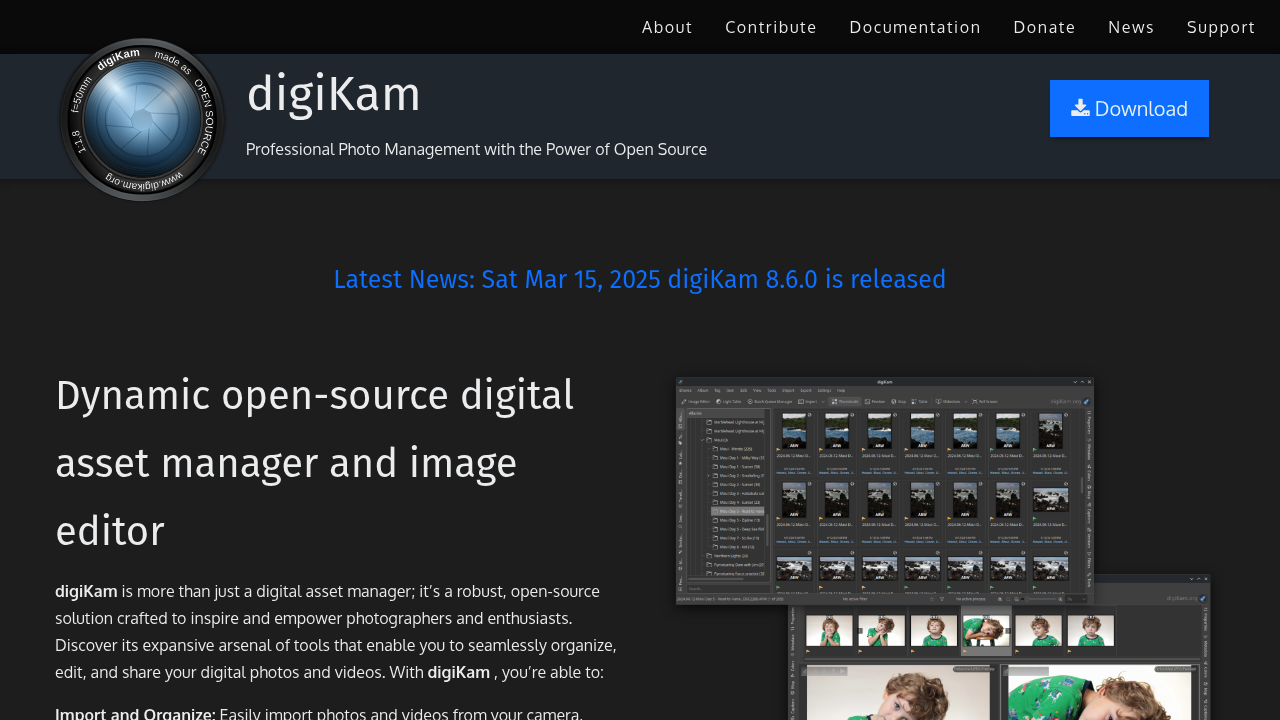
digiKam: Complete Free Photo Management and Editing Solution
For photographers seeking a comprehensive free alternative to Adobe Lightroom that excels in photo organization and management, digiKam provides a feature-rich solution that rivals commercial software in functionality and performance[17].
Advanced Photo Management Excellence
digiKam is designed as a complete photography workflow solution that covers every aspect from import to publication[17]. This open-source application provides professional-grade organization tools combined with capable editing features, making it an ideal Lightroom replacement for many photographers.
Comprehensive Workflow Coverage
- Multi-Collection Support: Manage photos from local, removable, and network storage[17]
- Advanced Database System: Sophisticated metadata management with SQLite, MySQL, and MariaDB support[17]
- Smart Organization: Albums with hierarchical structures and sub-album support[17]
- Powerful Search: Complex queries based on technical criteria, tags, and metadata[17]
- Face Recognition: Neural network-based face detection using OpenCV[17]
- Duplicate Detection: Intelligent duplicate finder using image fingerprints[17]
Database and Performance Architecture
Multi-Database Design
digiKam uses a sophisticated database architecture with separate files for different functions[17]:
- Core Database: Stores item properties and metadata
- Thumbnails Database: Efficient PGF wavelets compression for fast preview generation
- Faces Database: Recognition vectors from neural network processing
- Similarity Database: Image fingerprints for duplicate detection
This separation optimizes performance and simplifies backup procedures while ensuring data integrity.
Import and Organization Features
Professional Import Workflow
The import module supports all major camera models through Gphoto2 integration and USB mass storage devices[17]. Advanced import features include:
- Automatic image rotation and renaming during import
- Lossless conversion and RAW to DNG conversion
- Custom script execution during import
- Duplicate detection to prevent re-importing
- Automatic album creation based on import criteria
Advanced Organization Tools
Albums are organized as hierarchical directories with powerful tagging and categorization systems. The metadata extraction automatically captures camera settings, geolocation, lens information, and copyright details for comprehensive organization[17].
Editing and Processing Capabilities
Built-in Editor
While primarily focused on organization, digiKam includes capable editing tools for common adjustments. The integrated editor provides essential tools for cropping, color correction, exposure adjustment, and basic retouching.
Batch Processing
Comprehensive batch processing capabilities enable efficient handling of large photo collections. Apply edits, conversions, and metadata changes to hundreds of images simultaneously.
RAW Processing Integration
digiKam integrates seamlessly with external RAW processors like RawTherapee and Darktable, providing a complete workflow solution from import to final output.
Cross-Platform Performance
Available for Windows, macOS, and Linux, digiKam maintains consistent functionality across all platforms[17]. The optimized database architecture ensures smooth performance even with collections containing hundreds of thousands of images.
Advanced Features for Professional Use
Geolocation Support
Full GPS support with map integration allows organization and searching based on location data. Perfect for travel photographers and location-based photo organization.
Metadata Management
Comprehensive support for EXIF, IPTC, and XMP metadata with advanced editing capabilities. Batch metadata operations streamline professional workflows.
Publication and Sharing
Built-in export tools for various online services and social media platforms. Create web galleries, contact sheets, and other presentation formats directly from your photo collection.
Why Choose digiKam Over Adobe Lightroom?
- Completely Free: No subscription or licensing costs
- Open Source: Community-driven development ensures longevity
- Superior Organization: Advanced tagging and search capabilities
- Database Flexibility: Multiple database backend options
- Cross-Platform: Consistent experience across operating systems
- Privacy Focused: All data remains under your complete control
- Extensible: Plugin architecture for custom functionality
Performance with Large Collections
digiKam is specifically designed to handle large photo collections efficiently. The optimized database structure and thumbnail management ensure responsive operation even with libraries containing millions of images.
Getting Started with digiKam
Download digiKam from the official website and begin organizing your photo collection with professional-grade tools. Whether you're managing a family photo archive or a professional photography business, digiKam provides the comprehensive solution you need.
Experience the freedom of professional photo management without subscription costs – your photo collection deserves better organization!