
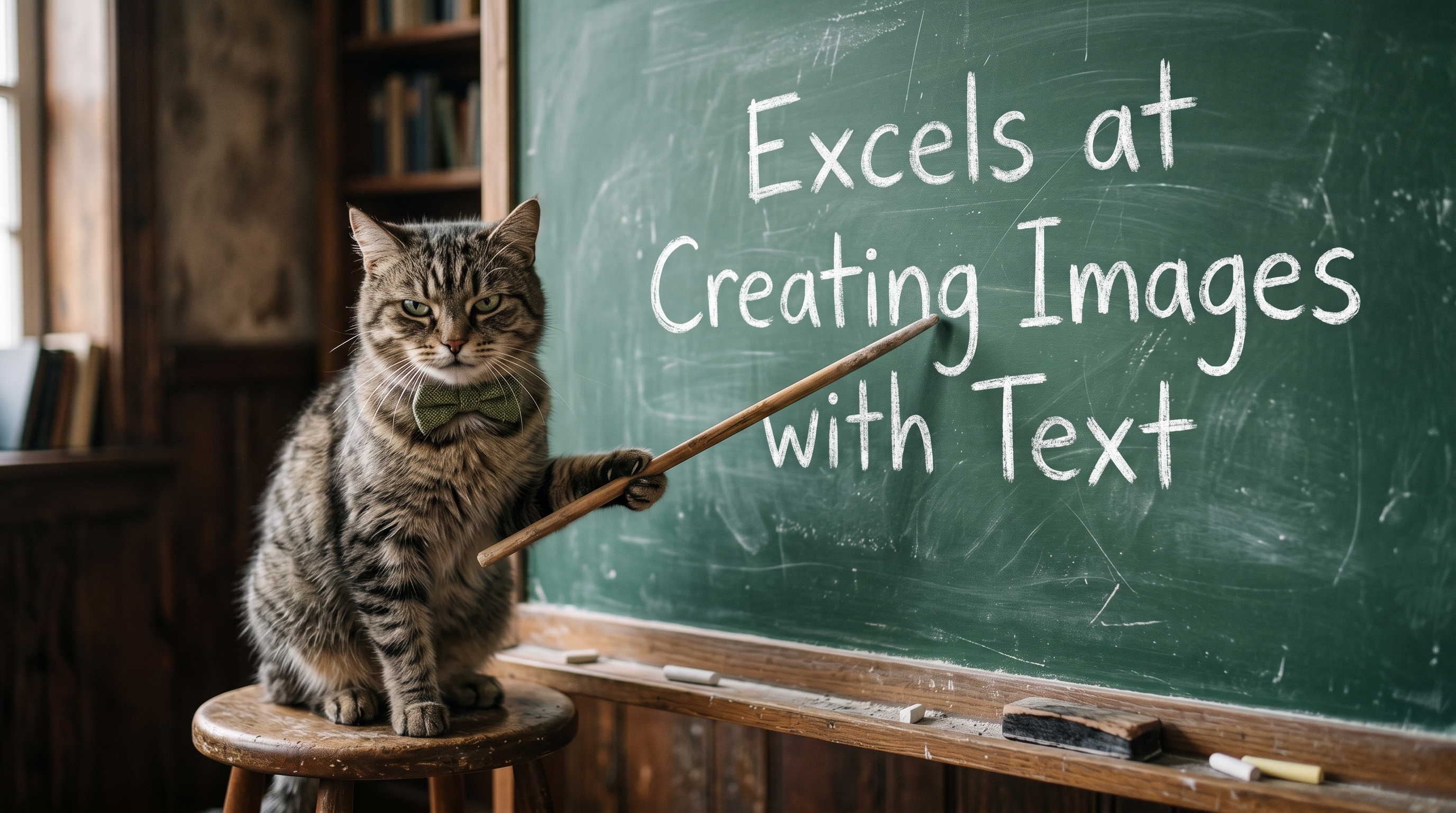
HiDream O1 Image: The Best Free AI Image Generator for Text Rendering?
Most AI image generators share a dirty secret: ask them to put readable text inside an image and they'll give you something that looks like a ransom note written by a caffeinated robot. Garbled letters, misspelled words, and completely illegible characters are so common that designers have learned to treat text as an afterthought - something to add in Photoshop after the AI does its job.
HiDream O1 Image is built to change that. Released in May 2026 under the MIT licence, this free, open-source model doesn't just tolerate text in images - it makes accurate, multilingual text rendering one of its headline capabilities. Whether you're designing a bilingual event poster, a Chinese New Year social media graphic, or an Arabic product banner, HiDream O1 Image can render the words correctly, in the right script, in the right place, the first time.
This article digs into exactly how it does that, what makes it architecturally different from every other free image model, and how you can put it to work for real design tasks today - for free, running entirely on your own machine.
Why AI Image Generators Struggle With Text
To understand why HiDream O1 Image is genuinely different, it helps to understand why text rendering is so hard for AI image generators in the first place.
Almost every popular model - Stable Diffusion, FLUX, and their derivatives - follows the same basic architecture. A Variational Autoencoder (VAE) compresses your 1024×1024 image into a much smaller latent space (roughly 64×64 tokens). A separate, frozen text encoder (like T5 or CLIP) turns your prompt into embeddings. A Diffusion Transformer then denoises the latent tokens while cross-attending to those text embeddings.
This pipeline is computationally efficient, but it stacks three independently trained components, each with its own failure modes. The VAE loses fine detail at compression boundaries - exactly where letter shapes live. The text encoder was trained for semantic retrieval, not spatial layout. And cross-attention between two foreign embedding spaces is precisely where text rendering and small-object accuracy break down.
The result: blurry letters, hallucinated characters, and near-total failure on non-Latin scripts like Chinese, Arabic, Japanese, or Devanagari.
How HiDream O1 Image Solves the Problem
HiDream O1 Image takes a fundamentally different approach. It throws out the entire latent stack.
The model is built on a Pixel-level Unified Transformer (UiT) - a single architecture that maps raw image pixels, text tokens, and task-specific conditions into one shared token space. There is no VAE. There is no separate text encoder. Diffusion happens directly in pixel space, and text is treated as a first-class citizen of the same representation that the model uses to understand everything else.
This architectural unification is what makes accurate text rendering possible. When your prompt says "a poster with the words '新年快乐' in gold calligraphy", the model doesn't have to bridge a gap between a visual embedding space and a language embedding space. The characters, their shapes, their spatial positions, and the surrounding visual context are all reasoned about together, in the same transformer, from the ground up.
The Numbers Back It Up
The technical paper (arXiv:2605.11061) reports benchmark results that are hard to argue with:
CVTG-2K (complex visual text, 2-5 text regions per image): HiDream O1 scores 0.9128, versus 0.8926 for FLUX.2 Dev and 0.8288 for Qwen-Image.
LongText-Bench (multilingual long-text rendering): HiDream O1 scores 0.979 in English and 0.978 in Mandarin Chinese - a near-perfect split that shows the gain isn't a quirk of English tokenisation.
GenEval (compositional accuracy): 0.90, beating FLUX.2 Dev (0.87) and Qwen-Image (0.87).
Crucially, HiDream O1 Image achieves all of this with just 8 billion parameters - roughly 7× smaller than FLUX.2 Dev's 56B. That's what makes it practical to run at home.
What "Multilingual Text Rendering" Actually Means in Practice
Let's be concrete. Here's what HiDream O1 Image can do that most free models simply cannot:
1. Latin Script (English, French, Spanish, German, etc.)
Accurate spelling, correct kerning, readable at small sizes. This is table stakes, but even here most models stumble on longer phrases or stylised fonts. HiDream O1 handles multi-word headlines, taglines, and body copy in image form reliably.
2. Simplified and Traditional Chinese (中文)
Chinese characters are notoriously difficult for latent-space models because each character is a complex glyph - a single misrendered stroke changes the meaning entirely. HiDream O1's pixel-native architecture preserves glyph fidelity at the stroke level, making it viable for Chinese-language posters, greeting cards, and social media graphics.
3. Japanese (日本語)
Japanese mixes three scripts - hiragana, katakana, and kanji - sometimes in the same sentence. The shared token space in HiDream O1's UiT architecture means it can handle this mixing without the script-switching failures that plague latent models.
4. Arabic (العربية)
Arabic is right-to-left, uses a cursive script where letter forms change depending on their position in a word, and has no direct equivalent in the Latin character set. It has historically been the hardest script for AI image generators to render correctly. HiDream O1's end-to-end pixel reasoning gives it a structural advantage here that patched latent models can't easily replicate.
5. Multi-Region Text Layouts
Perhaps most impressive: HiDream O1 can handle images with 2-5 separate text regions - a headline here, a subheading there, a price tag in the corner - and keep them all accurate and correctly positioned. This is the CVTG-2K benchmark in action, and it's what separates a model you can actually use for design work from one that's just a novelty.
Prompt Examples for Text Rendering
Here are ready-to-use prompt examples that showcase HiDream O1 Image's text rendering capabilities across different use cases:
Poster Design
A minimalist concert poster for "The Midnight" on a deep navy background.
Large white sans-serif headline: "THE MIDNIGHT".
Subtitle in smaller text: "World Tour 2026".
Date and venue at the bottom: "June 14 · O2 Arena · London".
Clean typographic layout, no decorative clutter.
A vibrant Chinese New Year festival poster.
Gold embossed characters "新年快乐" (Happy New Year) dominate the centre.
Red background with subtle lantern illustrations.
Smaller text below reads "2026 年春节".
Traditional brushstroke aesthetic.Social Media Graphics
A square Instagram post for a coffee shop.
Warm beige background with a latte art photograph.
Bold serif headline: "Morning Ritual".
Subtext: "Freshly roasted. Every day."
Small footer text: "@beanandbrewco".
Clean, editorial aesthetic.
A bilingual product launch announcement card.
Left side in English: "Now Available".
Right side in Arabic: "متاح الآن".
Central product image.
Modern, symmetrical layout with a white background.Signage and Wayfinding
A professional office door sign.
Dark charcoal background, white text.
Large text: "Conference Room B".
Smaller text below: "Capacity: 12 persons".
Japanese translation underneath: "会議室B 定員12名".
Clean corporate aesthetic.
Book and Album Covers
A moody literary novel cover. Dark forest at dusk.
Title in elegant serif font at the top: "The Quiet Hours".
Author name at the bottom: "Elena Vasquez".
Subtle fog effect. Muted greens and greys.
Using the Reasoning-Driven Prompt Agent
For complex multi-region text layouts, HiDream O1 ships with an optional Reasoning-Driven Prompt Agent - a separate wrapper that runs a large language model (Gemma-4-31B or any OpenAI-compatible API) over your instruction before generation. The agent outputs a refined prompt with explicit layout and text-rendering specifications, resolving ambiguities like cultural context, script direction, and spatial positioning before the image model ever sees the prompt.
For example, if you type: "Make a poster for a Tang Dynasty history exhibition", the agent will resolve that into explicit specifications: traditional Chinese characters, appropriate colour palette, historically accurate visual references, and correct text placement - all before a single pixel is generated.
This is the same pattern used by DALL-E 3 and Imagen 3, but shipped as a free, swappable, locally-runnable component.
Real-World Use Cases
1. Multilingual Marketing Materials
Brands operating across language markets typically need separate design passes for each language - because most AI tools can't be trusted to render non-Latin scripts accurately. HiDream O1 Image changes this calculus. A single model, running locally, can produce draft assets in English, Mandarin, Arabic, and Japanese in the same session, with accurate text in each language. For small businesses and independent designers, this is a significant workflow change.
2. Event Poster Design
Event posters live or die on typography. The event name, date, venue, and supporting acts all need to be legible and correctly spelled - there's no room for garbled text. HiDream O1's multi-region text accuracy means you can generate a complete poster layout with multiple text elements correctly placed and spelled, then refine it rather than rebuilding it from scratch in a design tool.
3. Social Media Content for Global Audiences
Content creators and social media managers who serve multilingual audiences spend significant time adapting visual assets for different markets. HiDream O1 Image can generate localised social media graphics - with correct text in the target language - directly from a prompt, reducing the adaptation cycle from hours to minutes.
4. Educational and Cultural Content
Teachers, educators, and cultural organisations frequently need visuals that incorporate non-Latin scripts - vocabulary cards, cultural celebration graphics, historical illustrations with period-accurate text. HiDream O1 Image is one of the first free, locally-runnable models capable of producing these reliably.
5. Book Covers, Zines, and Self-Publishing
Independent authors and zine makers need cover designs with accurate title text. The ability to generate a complete cover concept - image, title, author name, all correctly rendered - in a single prompt dramatically lowers the barrier to professional-looking self-published work.
6. Storyboard and Sequential Art
HiDream O1 Image supports storyboard generation - sequential frames with consistent characters and settings. Combined with its text rendering capability, this makes it viable for generating comic panels, instructional sequences, or narrative storyboards where dialogue boxes and captions need to be legible.
How to Run HiDream O1 Image for Free
HiDream O1 Image is completely free and open-source under the MIT licence. There are two main ways to run it locally:
Option 1: Pinokio (Easiest - No Command Line Required)
The cocktailpeanut/hidream-o1 Pinokio launcher is the simplest way to get started. Pinokio is a one-click app installer for AI tools that handles all dependencies automatically.
Install Pinokio on your Windows machine.
Open the HiDream O1 launcher and click Install.
Once installed, click Start Dev FP8 (faster, 28 inference steps) or Start Full FP8 (higher quality, 50 steps).
The model downloads automatically on first use (~10 GB).
Click Open Web UI to start generating.
The Pinokio launcher uses FP8 quantised checkpoints (drbaph/HiDream-O1-Image-Dev-FP8 or drbaph/HiDream-O1-Image-FP8), which require around 10 GB of VRAM - making it accessible on a modern gaming GPU like an RTX 3080 or 4070.
The launcher also adds a random seed toggle and a PNG download button to the web UI, without modifying the upstream model code.
Option 2: Command Line (Full Control)
For users who want direct control, the upstream repo is straightforward:
git clone https://github.com/HiDream-ai/HiDream-O1-Image.git
cd HiDream-O1-Image
pip install -r requirements.txt
Text-to-image generation:
python inference.py \
  --model_path /path/to/HiDream-O1-Image-Dev \
  --model_type dev \
  --prompt "A poster with the text 'Grand Opening' in bold gold letters on a black background, with the date 'June 14, 2026' below in white" \
  --output_image results/output.png
Instruction-based editing (pass a reference image):
python inference.py \
  --model_path /path/to/HiDream-O1-Image-Dev \
  --model_type dev \
  --prompt "Change the headline text to 'Summer Sale'" \
  --ref_images existing_poster.jpg \
  --output_image results/edited.png
System Requirements
GPU: NVIDIA CUDA GPU (required)
VRAM: ~10 GB for FP8 models
Disk: ~10 GB per checkpoint
OS: Windows (via Pinokio), Linux, macOS (command line)
PyTorch: Recent build with FP8 dtype support
Dev vs. Full: Which Model Should You Use?
HiDream O1 Image ships two checkpoints, and the choice matters for text rendering work:
| Feature | Dev FP8 | Full FP8 |
|---|---|---|
| Inference steps | 28 | 50 |
| CFG guidance | Disabled (0.0) | Enabled (5.0) |
| Speed | Faster | Slower |
| Text rendering quality | Very good | Best |
| Best for | Iteration, drafts, social media | Final output, print, complex layouts |
For most text rendering work, start with Dev FP8 to iterate quickly on your prompt and layout, then switch to Full FP8 for your final output when you need maximum fidelity.
How HiDream O1 Compares to Other Free Text Rendering Options
Before HiDream O1, the options for accurate text in AI-generated images were limited:
Stable Diffusion (SDXL, SD 3.5): Notoriously poor text rendering, especially for non-Latin scripts. Requires ControlNet or post-processing workarounds.
FLUX.2 Dev: Better than SD but still a latent model - CVTG-2K score of 0.8926 vs HiDream O1's 0.9128. Also 7× larger (56B parameters), making it impractical to run locally for most users.
Adobe Firefly: Good text rendering but cloud-based, limited free credits, and not open-source.
GPT Image (DALL-E 3): Excellent text rendering but requires an OpenAI subscription and sends your prompts to a third-party server.
Canva AI: Web-based, subscription-limited, no local option.
HiDream O1 Image is the only free, open-source, locally-runnable model that achieves near-perfect multilingual text rendering scores - and it does it on hardware that a serious hobbyist or small studio is likely to already own.
Tips for Getting the Best Text Rendering Results
Even with HiDream O1's superior architecture, prompt quality still matters. Here are practical tips for getting clean, accurate text in your images:
Quote your text explicitly. Always wrap the exact text you want rendered in single or double quotes within your prompt: "a sign that reads 'Welcome Home'" rather than "a welcome sign".
Specify font style and weight. "Bold sans-serif", "elegant serif", "handwritten script" - the more specific you are about typography, the more control you have over the result.
Describe text placement. "Centred at the top", "bottom-left corner", "overlaid on the image" - spatial instructions help the model position text correctly.
Use the Prompt Agent for complex layouts. If you need 3+ text regions or culturally specific scripts, run the Reasoning-Driven Prompt Agent first to resolve ambiguities before generation.
Specify the script explicitly for non-Latin text. "In Arabic script", "in traditional Chinese characters", "in hiragana" - don't assume the model will infer the script from context alone.
Use Full FP8 for final output. The extra inference steps and CFG guidance in the Full model make a measurable difference for intricate character shapes in Chinese, Japanese, and Arabic.
Iterate with Dev first. Use the faster Dev model to test your prompt and layout before committing to the slower Full model for your final render.
The Bigger Picture: Why This Matters for Free Software
HiDream O1 Image was released under the MIT licence - one of the most permissive open-source licences available. You can use it commercially, modify it, redistribute it, and build products on top of it. There are no usage caps, no subscription fees, no API keys, and no data sent to a third-party server.
For designers, content creators, and small businesses who need multilingual visual assets, this is a significant development. The ability to generate accurate, localised design assets - in Chinese, Arabic, Japanese, or any other supported script - without a subscription, without cloud dependency, and without per-image fees, changes what's economically viable for independent creators and small teams.
The model's position at #8 on the Artificial Analysis Text-to-Image Arena (as of May 2026, the highest-ranked open-weight entry) suggests this isn't just a promising experiment - it's a production-viable tool that happens to be free.
Getting Started
Ready to try HiDream O1 Image for your text rendering projects? Here's where to go:
Pinokio Launcher (easiest start): github.com/cocktailpeanut/hidream-o1
Upstream model repo: github.com/HiDream-ai/HiDream-O1-Image
Model weights (Hugging Face): huggingface.co/HiDream-ai/HiDream-O1-Image
Technical paper: arXiv:2605.11061
FreeAlternatives.net listing: HiDream O1 Image - Free Alternative to Midjourney
If accurate text rendering in AI-generated images has been a blocker for your design workflow - especially for multilingual projects - HiDream O1 Image is worth a serious look. It's free, it's open-source, it runs locally, and the benchmarks suggest it's genuinely the best tool available for this specific problem.